

From Business Listing to Business Central: Your Hub for SME Growth
We understand the unique journey of the modern SME. And we believe that sustainable growth requires a foundation that is both secure and scalable. Microsoft Dynamics 365 Business Central offers a unified path forward for modern businesses.
We provide the insights you need to build a future-proof business.
Just click here to see videos that will impress you.
What is Business Central?
Microsoft Dynamics 365 Business Central is a cloud-based Enterprise Resource Planning (ERP) system. It is the successor to the well-known Dynamics NAV (Navision) and is specifically designed for SMEs.
The platform acts as the “digital heart” of your organization. Instead of separate islands for accounting, inventory and CRM, Business Central brings all the data together in one interface with the familiar Microsoft look.
Your Benefits: Why SMEs Choose Business Central
Unified Platform: No more switching between separate software for accounting, CRM, and inventory. Everything lives in one “digital heart.”
Seamless Microsoft Integration: Work directly within the tools you already use, like Outlook, Excel, and Teams.
Real-Time Insights: Access your financial and operational data anywhere, on any device, with built-in AI reporting.
Scalable & Cost-Effective: Only pay for what you use. Start small and add modules (like manufacturing or service management) as you grow.
Automated Compliance: Benefit from automatic updates that ensure your business always follows the latest VAT and security regulations.
The ideal solution for efficient SME operations
This Microsoft solution offers numerous benefits for SMEs that contribute to efficient operations. With a central database, all data is stored in one place, minimizing duplicate entries and errors. This ensures that employees can quickly access all relevant information and collaborate more efficiently. Real-time financial insights help you keep a grip on costs and budgets through detailed reporting and analysis, and therefore managers can make informed decisions faster and realize cost savings.
The software is fully integrated with accounting, CRM and logistics systems, ensuring seamless collaboration between different departments. This increases operational efficiency and enables faster and more accurate operations. Customer satisfaction is also improved as communication and invoicing run more smoothly, contributing to a positive customer experience and increased customer loyalty.
Tailored to local business: this video will really change your perspective
The Business Central software from Microsoft is fully modular and can be customized to meet the specific needs of your business. Start with a basic set of modules and easily expand it with additional functionality and any additional apps. This way, you develop a system that fits your business operations perfectly. And this means that you are not stuck with a standard package, but have the freedom to put together the apps that best suit your business processes.
Watch this movie and discover some of the modules from this comprehensive solution here:
- CRM
- Marketing
- Quotes
- Purchases
- Staff
- Assets
- Depreciation
- Accounting
- Financial management
- Logistics, warehouses, inventory
- Supply Chain Management
User-friendly so you can expand step by step – watch these movies
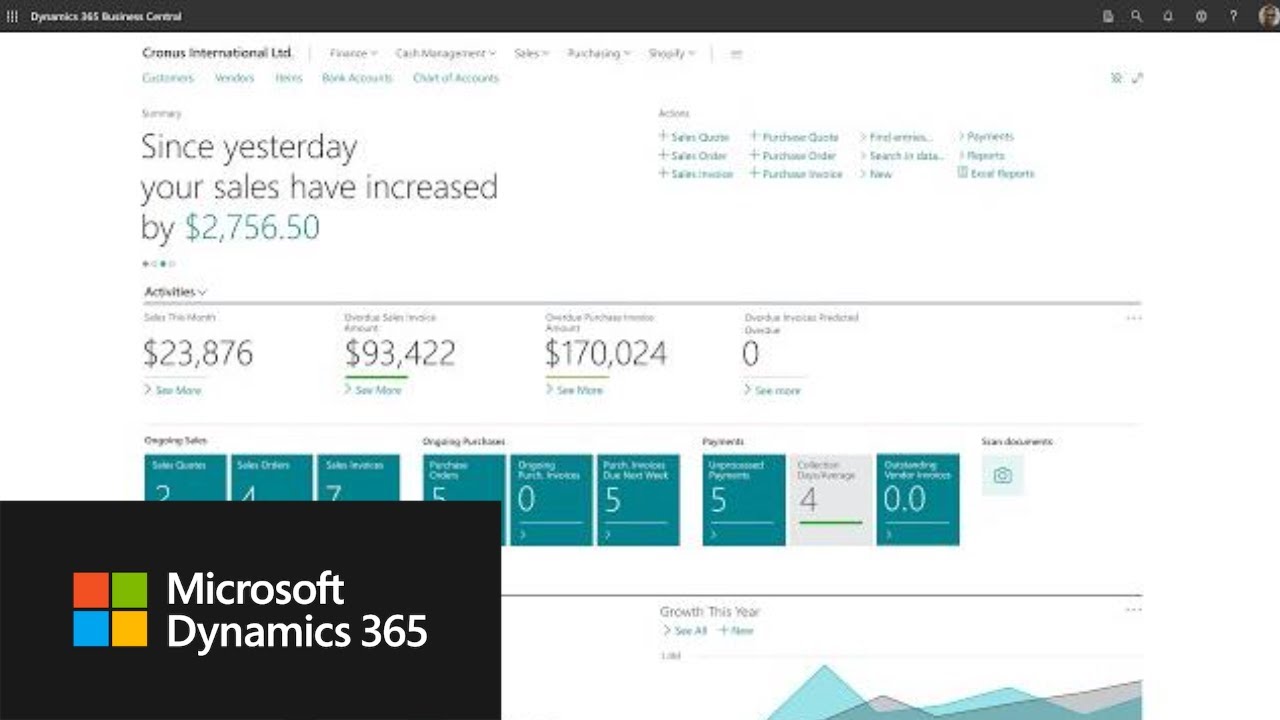
- User-friendly
- Future-proof and operationally reliable
- Very reliable
- Affordable software for companies
- Ready-made solution
- Very modern
- Cloud
- Any department
- Personalization is possible
- Benefit from the support of Microsoft
- Many additional apps available
Transitioning from local legacy software to Microsoft Dynamics 365 Business Central is more than just a technical upgrade; it is a strategic move toward future-proofing your business. By migrating to the cloud, you eliminate the burden of maintaining expensive on-premise servers and manual updates. This shift grants your team real-time accessibility, allowing them to manage financial and operational data securely from any device, anywhere in the world. Furthermore, you benefit from the seamless integration with the Microsoft 365 ecosystem, including Outlook, Excel, and Teams. With automatic updates ensuring security and compliance, your system stays current without manual intervention. Ultimately, cloud migration offers the scalability needed to adjust resources as your business grows without hardware constraints.

Advanced features of AI, cloud and security
Why are hundreds of companies switching to this platform every day?
Seamless Microsoft 365 Integration: Works directly from Outlook, Teams and Excel.
Cloud-Native & Secure: No more hassle with proprietary servers. Your data is secured to the highest Microsoft standards.
AI and Automation: Use Microsoft Copilot within Business Central to write text, analyze data and automate repetitive tasks.
Scalability: You pay per user per month. Is your team growing? Then the licenses easily scale with it.
Implementation: How best to tackle it?
An ERP implementation is not an IT party, but a strategic choice. Most companies choose one of these flavors:
- Standard Go-Live: Take advantage of Microsoft’s standard best practices for a quick start.
- Extensions for sectors: These make the solution completely tailored to your sector so that you are fast along in your business
- Customization: Even that is still possible to provide your specific needs extra
Tip: Always choose an experienced Microsoft Partner. They have the in-depth knowledge of both technology and local legislation (such as VAT rules).
Costs and licenses
Microsoft works with a transparent subscription model. There are three main forms (prices December 2025 and may not be current at this time):
| License Type | For whom | Main Functions | Price per month* |
|---|---|---|---|
| Essentials Most Popular | SMEs looking to digitize finance and operations. | Financial management, Purchasing, Sales, Inventory, CRM, Projects. | $ 70.00 per user |
| Premium | Manufacturing companies and complex service organizations. | Everything in Essentials + Production and Service Management. | $ 100.00 per user |
| Team Members | Employees who only view data or write hours. | Reading data, viewing reports, giving approvals. | $ 8.00 per user |
* Microsoft recommended prices for December 2025. Excluding VAT.
Some additional digital business components

In addition to Microsoft ERP and CRM software, we offer on this site information about powerful graphical planning boards and extensive reporting capabilities.
Some of these planning tools are for:
- Project Planning
- Scheduling of machines and people
- Transportation Planning
- Service Planning
- GANTT planning
SME also want a good follow-up. And they know where they stand financially. Because to measure is to know. And you can.
Good business software like Business Central integrates effortlessly with various analytics business intelligence tools, giving you in-depth insights into your activities and financial performance.
This helps you make timely adjustments and strategic decisions based on real-time data.
And good business systems provides comprehensive reporting options, giving you a clear overview of operational progress, budgets and other critical business information.
So that’s why management software also has extensive reporting in it.

About Business Central and local business listing software
Microsoft Dynamics 365 Business Central and local business listing software are not competitors; they are complementary tools that can work together to boost your business’s online presence. While Business Central is a robust ERP system designed to manage your internal operations, local listing software is built to handle your external, public-facing information.
The Role of Business Central as the ‘Single Source of Truth’
In this symbiotic relationship, Business Central serves as the master database for all crucial company information. Instead of manually updating your address, phone number, and hours of operation across dozens of platforms, you simply manage them in one place: your ERP system. This includes:
Core Company Details: The official business name, main office address, and contact numbers.
Location-Specific Data: If your business has multiple stores or branches, Business Central can store the unique address, phone number, and operating hours for each.
Service and Product Information: A centralized list of the services and products you offer.
By centralizing this data in Business Central, you ensure consistency and accuracy, eliminating the risk of human error from scattered updates.
Automated Data Synchronization
To bridge the gap between your internal ERP and the external online world, you need an integration solution. This can be achieved through:
API Connectors: Many professional local listing services like Yext or BrightLocal offer APIs (Application Programming Interfaces) that can be linked to Business Central. A developer can build a custom connector to automatically push updates from your ERP to the listing software.
Power Platform Automation: Using Microsoft Power Automate, you can create a flow that triggers when data is updated in Business Central, automatically sending the new information to your listing management tool.
Once the data is transferred, the listing software takes over. It automatically distributes your consistent business information to a wide network of online directories, social media platforms, and mapping services, including Google Maps, Apple Maps, and Yelp.
In this powerful collaboration, Business Central handles the internal data management, while the listing software handles the external distribution, ensuring your company has a strong, consistent, and accurate online footprint.
Frequently asked questions (FAQ)
1. Is my business data safe when moving to the cloud?
2. Can I keep my historical data from my current local software?
3. How does Business Central work with Microsoft 365 (Office)?
4. Is it possible to add industry-specific features like planning boards?
5. What are the financial advantages of a cloud-based ERP?
Business Central vs. Dynamics NAV
Is your organization still running on an older version of Dynamics NAV? Although NAV still works, you’re missing out on the power of the cloud. Moving to Business Central (often called “Cloud Migration”) with us offers benefits such as automatic updates, better mobile accessibility and lower IT management costs.
Ready to take the next step?
This solution is more than just software; it’s a foundation for growth. Want to see how the system works for your specific industry? Want to learn more? Below, you can read a few additional articles:
- Integrating Microsoft Copilot: How AI Automates Your Accounting
- From Dynamics NAV to Business Central: The Roadmap for 2026
- Business Central + Power BI: The Holy Grail of Reporting
- Dynamics Business Central for the Manufacturing Sector: From Formulation to Shipping
- Integrating with Other Systems: The Power of the API and AppSource
- Get inspired by some customer stories
Discover some of the leading Business Central solutions here:
Get to know some Business Central industry solution that rank amongst the top 3 on Microsoft AppSource and Marketplace:
Interested in this solution?
Want to learn more or read case studies?
Visit: www.offimac.com